Retro computer side
Your old machine runs a normal terminal program and sends AT commands over serial.
Windows bridge for real retro computers
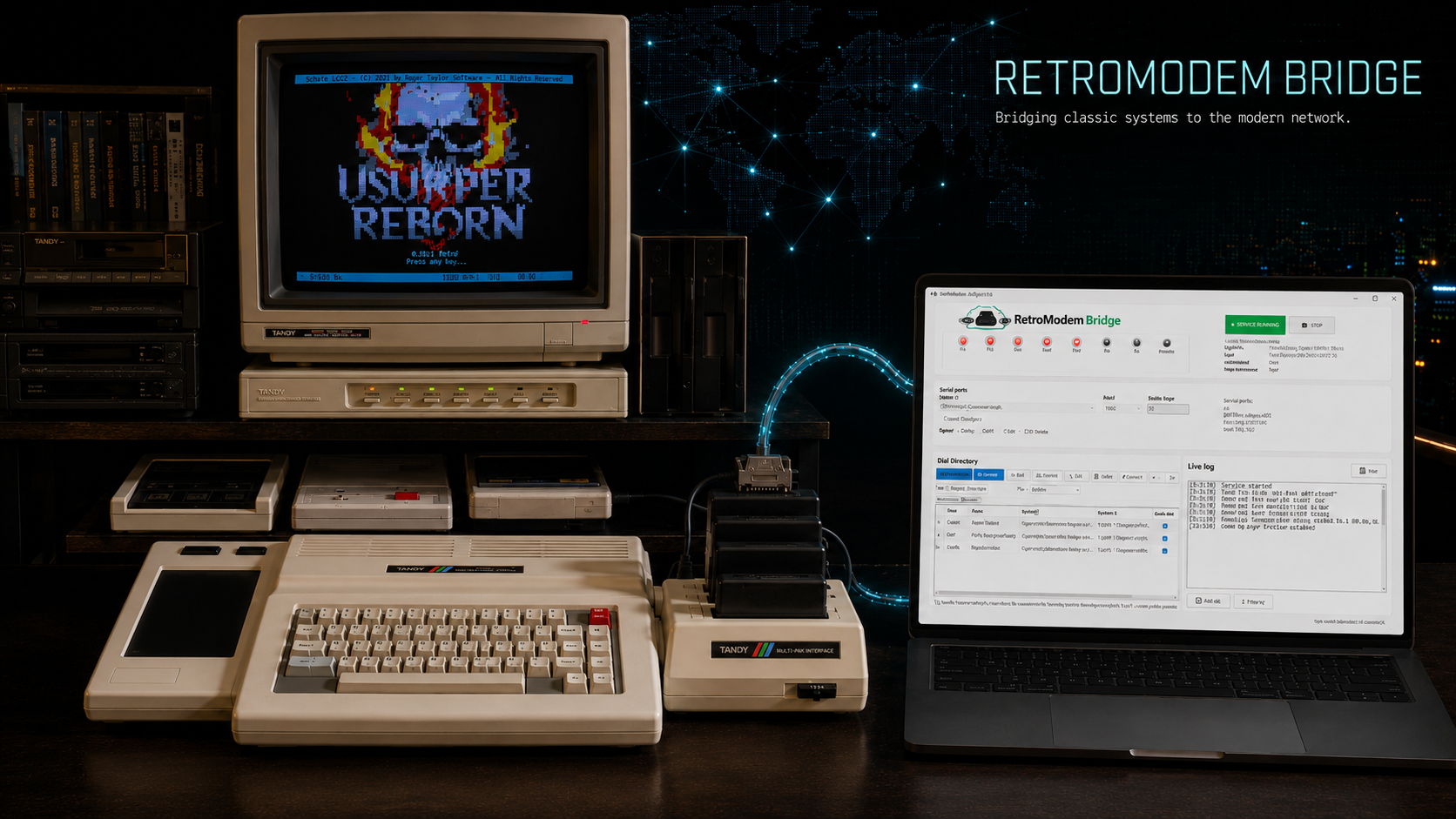
RetroModem Bridge is a Windows serial-to-TCP modem bridge that lets classic machines dial Telnet BBSes through a serial connection. Your Tandy Color Computer 3, TRS-80, Commodore, Apple II, Atari, Amiga, DOS PC, CP/M machine, or other serial-capable computer can use familiar Hayes-style ATDT commands while your modern PC handles the internet connection.
What it is
RetroModem Bridge lets a real retro computer behave like it is dialing through a modem, while Windows handles the serial connection, Telnet session, aliases, BBS directories, and local door game launching.
Your old machine runs a normal terminal program and sends AT commands over serial.
The app listens on the COM port, understands dial commands, manages aliases, and opens the matching TCP or local door session.
The destination can be a Telnet BBS on the internet or a local Windows door game configured inside RetroModem Bridge.
Features
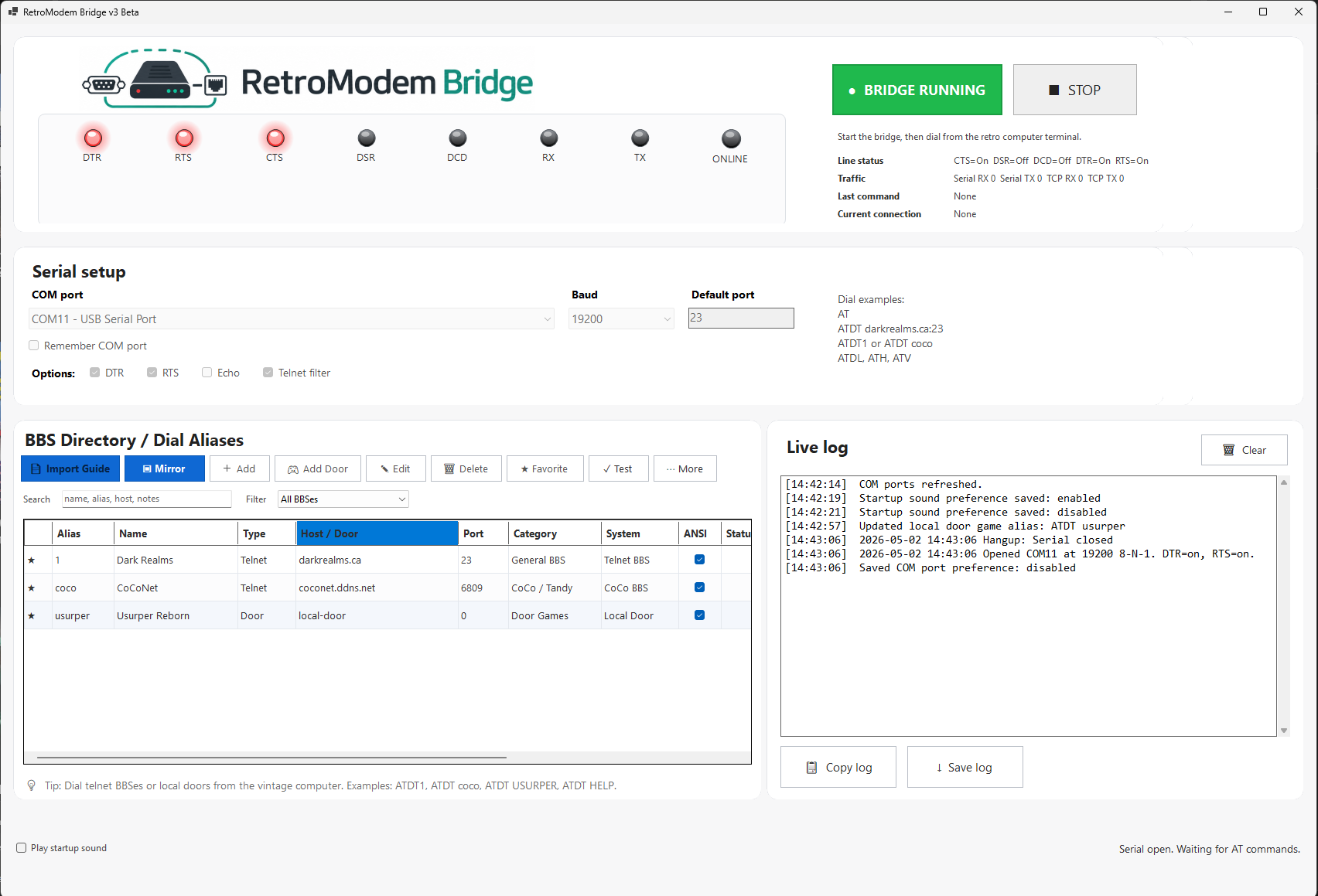
A Windows control panel for vintage dialing, BBS browsing, session monitoring, local door games, and old-school ATDT workflows.
Connect a vintage computer over serial, then bridge the session to Telnet BBSes over TCP. A USB serial adapter option helps connect old serial hardware to a modern PC.
Type commands like ATDT COCONET or ATDT DARK. RetroModem Bridge catches the command, looks up the alias, and opens the connection.
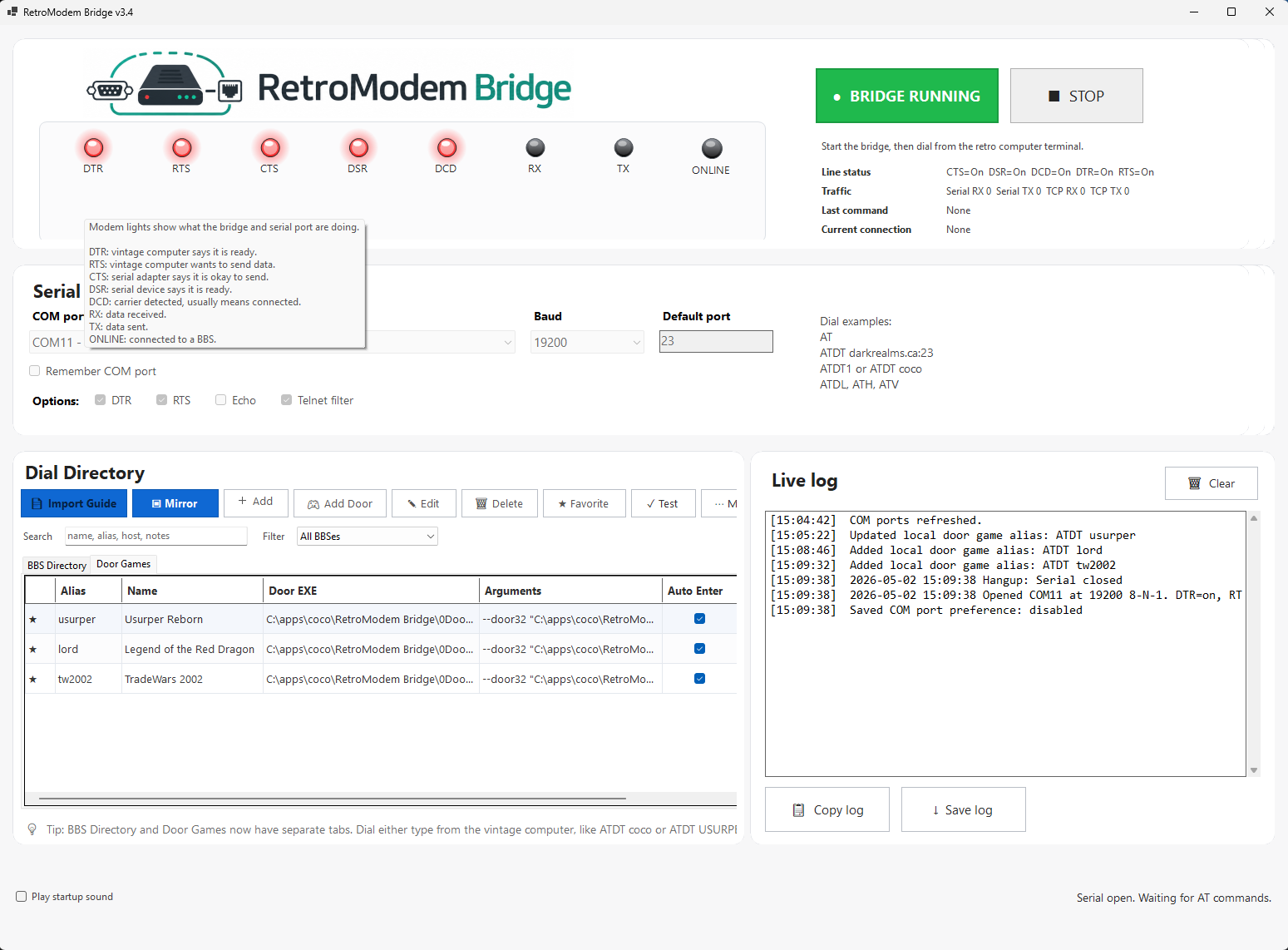
Import listings, create aliases, mark favorites, and dial them from the old computer without memorizing hostnames and ports.
Dial a local alias such as ATDT USURPER, and the Windows PC launches the configured door game while the retro terminal stays connected.
The Windows side includes a terminal preview and session mirror so you can see what the retro computer is seeing.
Choose the COM port, baud rate, Telnet options, aliases, profiles, and door settings through a Windows GUI.
Serial-to-TCP for vintage computers
RetroModem Bridge is for people who want an actual vintage computer to dial Telnet BBSes, browse a BBS directory, and launch local door games through a Windows PC.
Use a Tandy Color Computer, Deluxe RS-232 Pak, Multi-Pak Interface, and terminal software to dial BBS destinations with familiar Hayes-style commands.
The old computer keeps the modem feel while RetroModem Bridge turns serial traffic into TCP connections for modern Telnet-accessible BBS systems.
Most setups use a USB serial adapter between the vintage serial hardware and the Windows PC. USB serial adapter option.
Door game mode
RetroModem Bridge v3.4 adds experimental Local Door Game Mode. Add a door game on the Windows PC, give it an alias, and dial it from the retro machine.
Screenshots
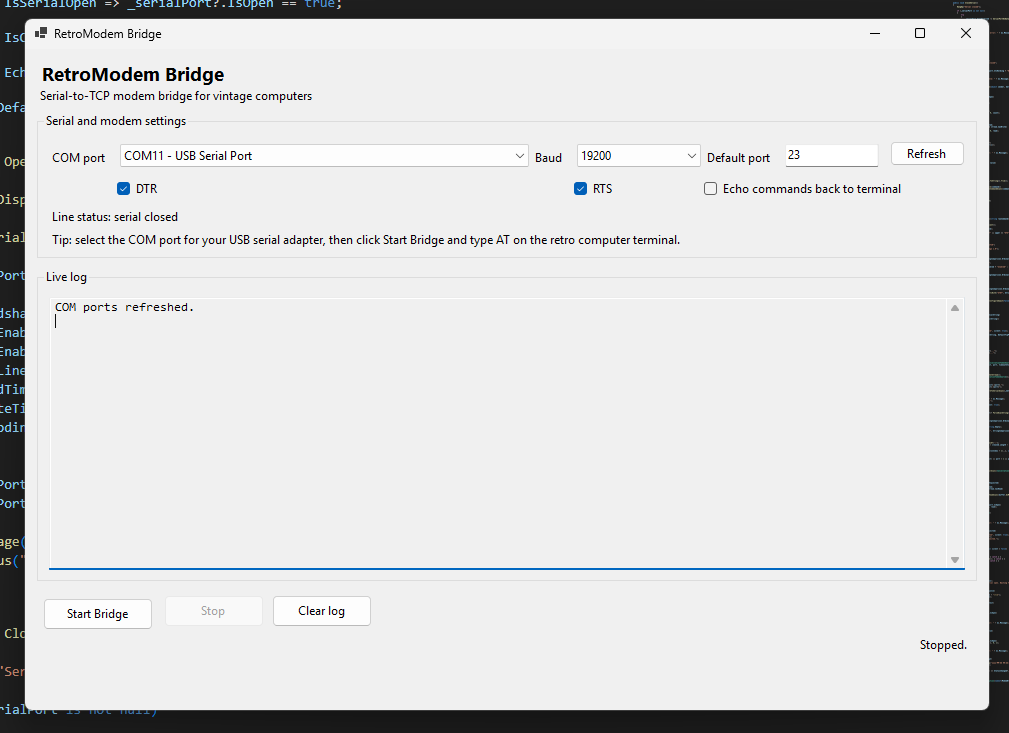
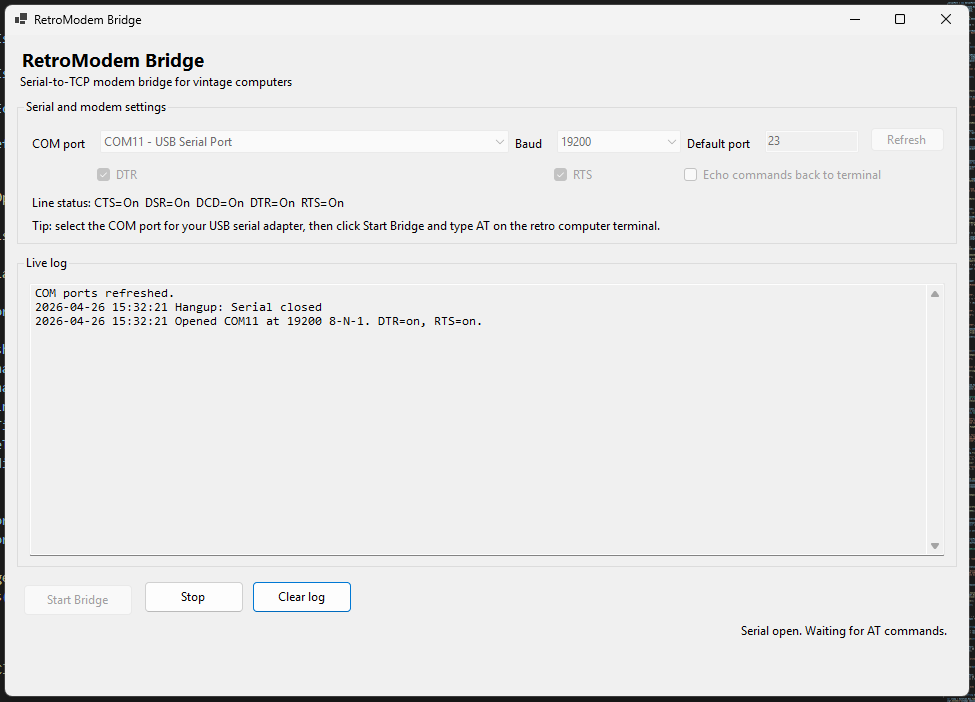
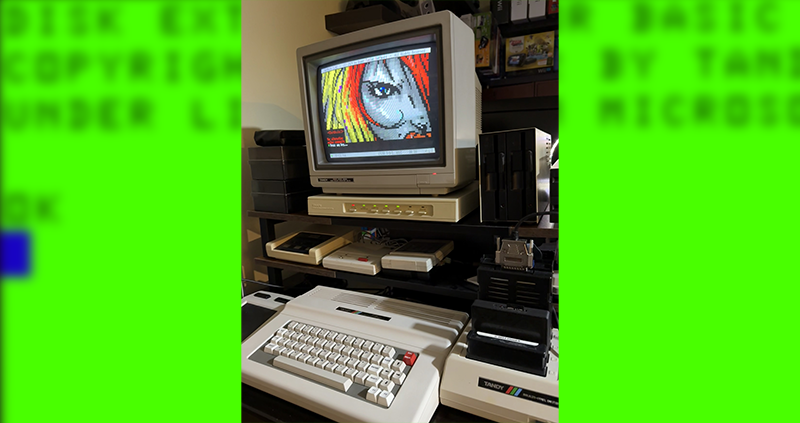
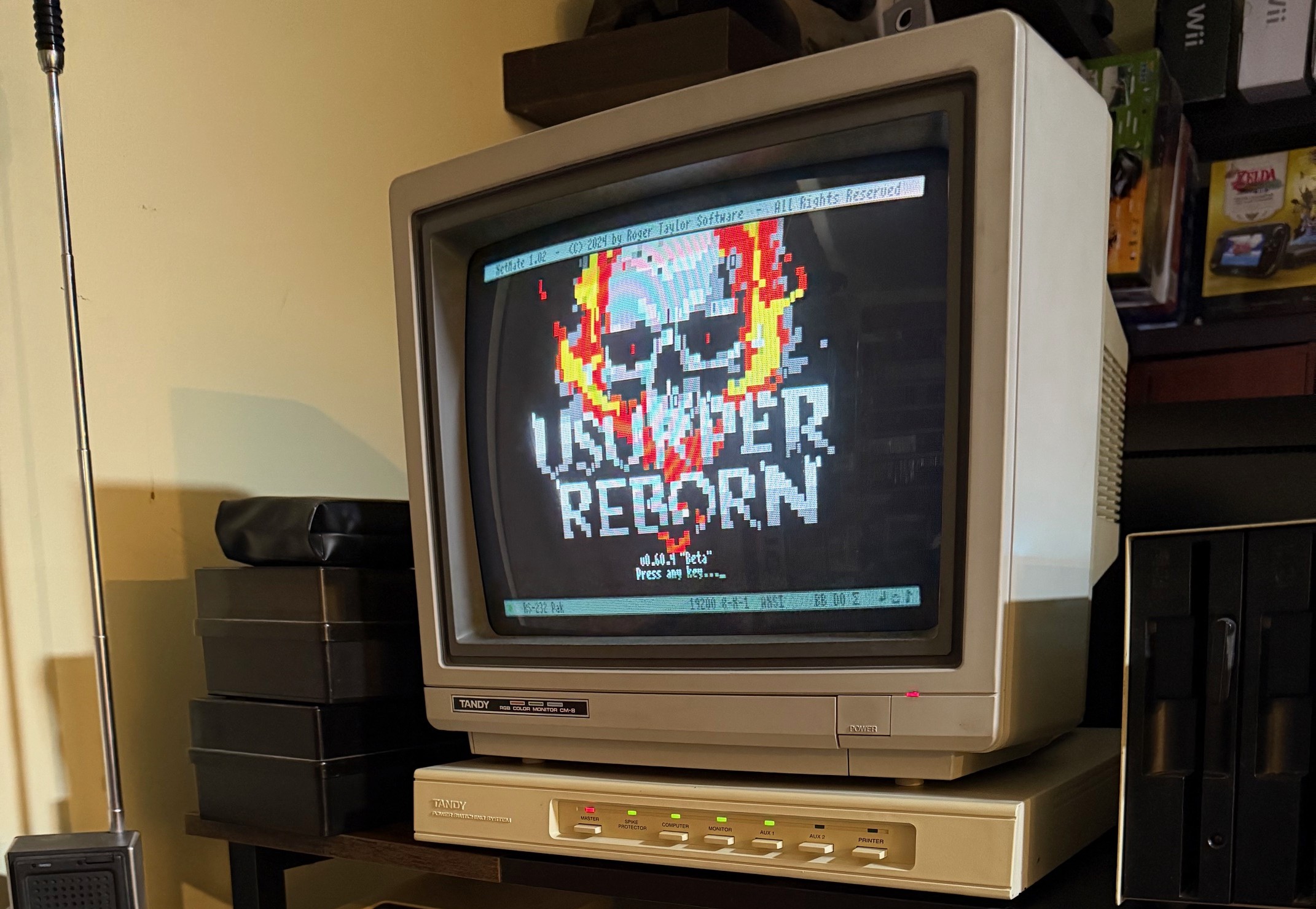
Windows app screens, CoCo 3 terminal views, ATDT menus, and door game configuration screens from the project.
Retro Computer FAQ
Any retro computer with a usable serial connection and terminal software can benefit. Most setups need the right machine-side serial hardware plus a USB serial adapter on the Windows PC.
A CoCo 3 with a Deluxe RS-232 Pak, MPI setup, or compatible serial solution can dial Telnet BBSes from NetMate or another terminal.
Typical setup: retro serial hardware plus a Windows PC. USB serial adapter option.
Earlier CoCo systems can also benefit when paired with compatible serial hardware and terminal software.
Typical setup: retro serial hardware plus a Windows PC. USB serial adapter option.
TRS-80 systems with serial hardware can use RetroModem Bridge as a modern path to Telnet BBSes without a real phone line.
Typical setup: retro serial hardware plus a Windows PC. USB serial adapter option.
A Commodore with a serial modem interface or RS-232 solution can reach Telnet BBSes while still feeling like a classic modem session.
Typical setup: retro serial hardware plus a Windows PC. USB serial adapter option.
Apple II systems with serial cards are a natural fit. Use terminal software on the Apple II and let RetroModem Bridge do the internet work.
Typical setup: retro serial hardware plus a Windows PC. USB serial adapter option.
Atari 400, 800, XL, and XE machines can benefit when paired with the right serial interface and terminal software.
Typical setup: retro serial hardware plus a Windows PC. USB serial adapter option.
An Amiga with a serial port can use RetroModem Bridge to dial Telnet BBSes through a Windows PC.
Typical setup: retro serial hardware plus a Windows PC. USB serial adapter option.
The Atari ST has strong terminal software options and can use its serial port with RetroModem Bridge.
Typical setup: retro serial hardware plus a Windows PC. USB serial adapter option.
A DOS PC with a COM port and terminal software can use RetroModem Bridge as a modem-like gateway to Telnet systems.
Typical setup: retro serial hardware plus a Windows PC. USB serial adapter option.
Many CP/M machines with serial terminals or serial expansion can use the same bridge concept.
Typical setup: retro serial hardware plus a Windows PC. USB serial adapter option.
Old DOS or early Windows laptops with serial ports can dial through RetroModem Bridge for an authentic terminal experience.
Typical setup: retro serial hardware plus a Windows PC. USB serial adapter option.
If the machine can send AT-style commands over serial and run a terminal program, it may work.
Typical setup: retro serial hardware plus a Windows PC. USB serial adapter option.
Getting started
Let the old computer keep acting old, and let the Windows PC do the modern networking work.
A Deluxe RS-232 Pak, USB serial adapter, and a terminal like NetMate is one example setup for the CoCo 3 crowd.
USB serial adapter for this kind of setupDownload
Grab the latest release, connect your serial hardware, start the bridge, and dial back into the BBS world.